CLAUDE.md, AGENTS.md, and What Agents Should Remember
Anand B · 2026-08-10
Claude Code reads CLAUDE.md. It does not read AGENTS.md. If your repository has been standardising on AGENTS.md for other agents, that file is currently doing nothing for Claude, and the fix takes one line.
That is the most common misunderstanding in this area, so it goes first. The rest of this is about what actually belongs in these files, which is a narrower set than most people put in them.
Bridging AGENTS.md in one line
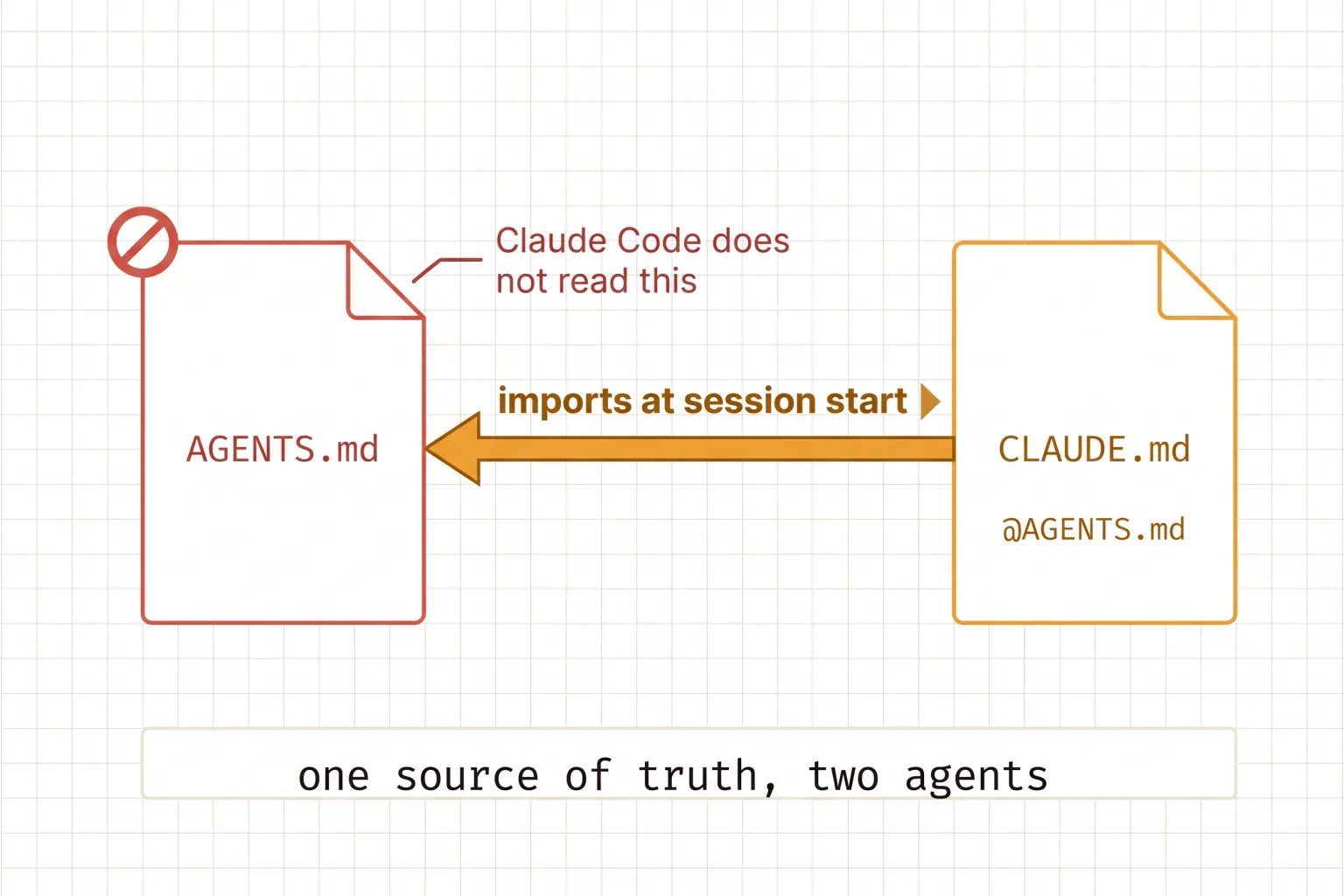
Create a file named for Claude that imports the one you already have:
@AGENTS.md

## Claude Code

Use plan mode for changes under `src/billing/`.
Claude loads the imported file at session start and then appends whatever you write below it, so you get one shared source of truth plus room for Claude-specific instructions. A symlink works too if you have nothing Claude-specific to add:
ln -s AGENTS.md CLAUDE.mdOn Windows, symlinks need Administrator privileges or Developer Mode, so prefer the import. Either way, run /context in your next session and confirm CLAUDE.md appears under Memory files — that is the only proof it loaded.
Where files live and what wins
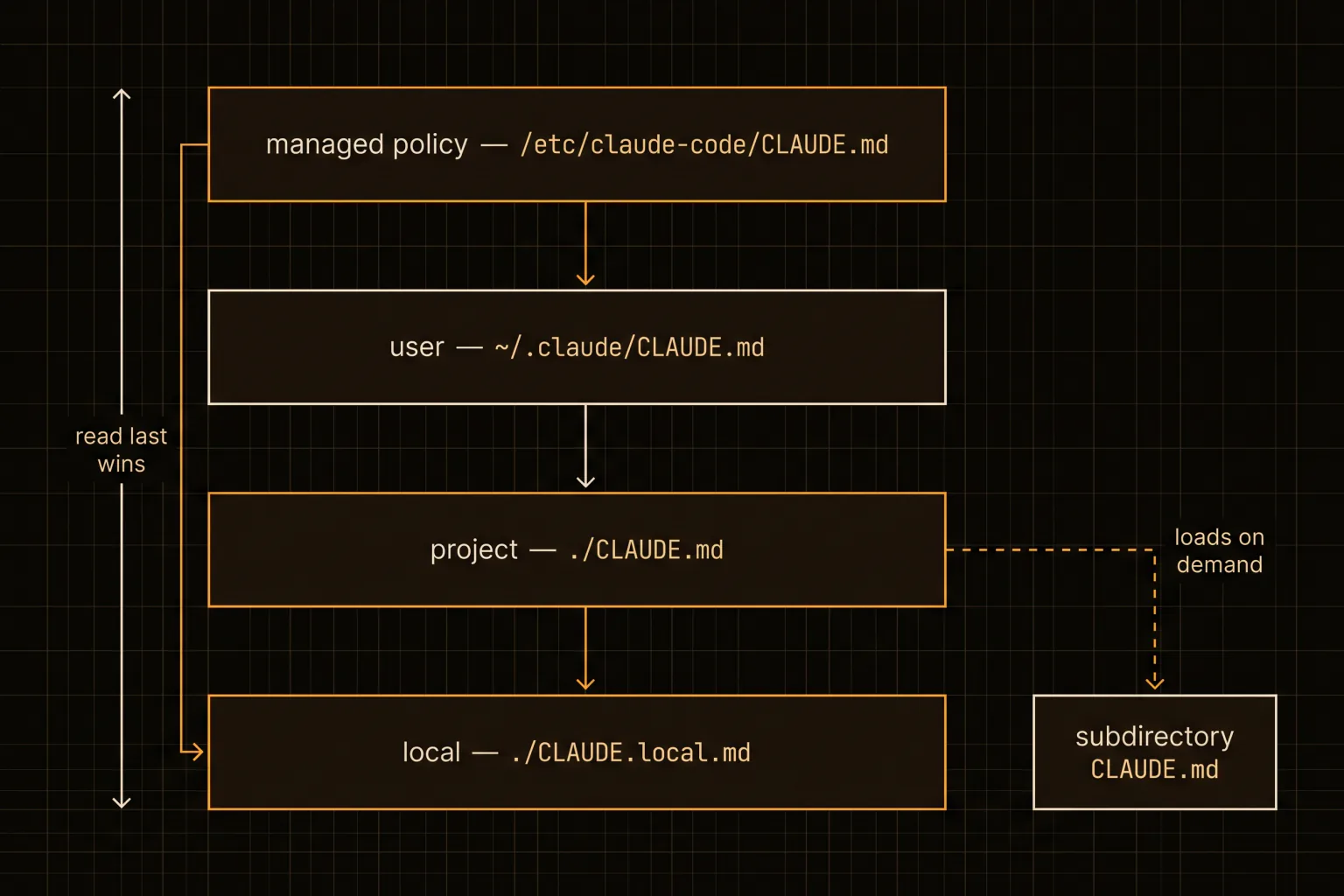
Four locations, loaded broadest to most specific.
| Scope | Path |
|---|---|
| Managed policy | /etc/claude-code/CLAUDE.md (Linux/WSL), /Library/Application Support/ClaudeCode/CLAUDE.md (macOS) |
| User | ~/.claude/CLAUDE.md |
| Project | ./CLAUDE.md or ./.claude/CLAUDE.md |
| Local, gitignored | ./CLAUDE.local.md |
The behaviour that surprises people: these are concatenated, not overridden. Claude walks up the directory tree from where you launched it and loads every instruction file and CLAUDE.local.md it finds, ordered from the filesystem root down to your working directory. Instructions closest to your launch directory are read last.
So there is no precedence in the usual sense. Two files that contradict each other do not resolve — Claude may pick either one arbitrarily. In a monorepo, that means an ancestor file from another team can quietly fight your instructions, which is what claudeMdExcludes exists for.
Files in subdirectories below your working directory behave differently: they load on demand, when Claude reads a file in that directory. That is the mechanism worth exploiting deliberately, and it is how a large repo keeps per-area rules without paying for all of them at launch.
Two related details save real debugging time. Imports whose path resolves outside your working directory — a home-directory file, say — trigger a one-time approval dialog, because otherwise anyone could commit an import that pulls in a file you never reviewed. Decline once and they stay disabled silently. And if you use --add-dir to give Claude another directory, its instruction files are not loaded by default; you need CLAUDE_CODE_ADDITIONAL_DIRECTORIES_CLAUDE_MD=1 for that. Both are cases where a file exists, looks right, and is doing nothing.
There is also a worktree wrinkle. A gitignored local file only exists in the worktree where you made it, so if you work across several worktrees of one repo, importing a file from your home directory is the way to carry personal instructions across all of them.
The 200-line rule
Target under 200 lines per file. Longer files consume more context and measurably reduce adherence, which is the part people underrate — an instruction buried in a 600-line file is not a stronger instruction, it is a weaker one.
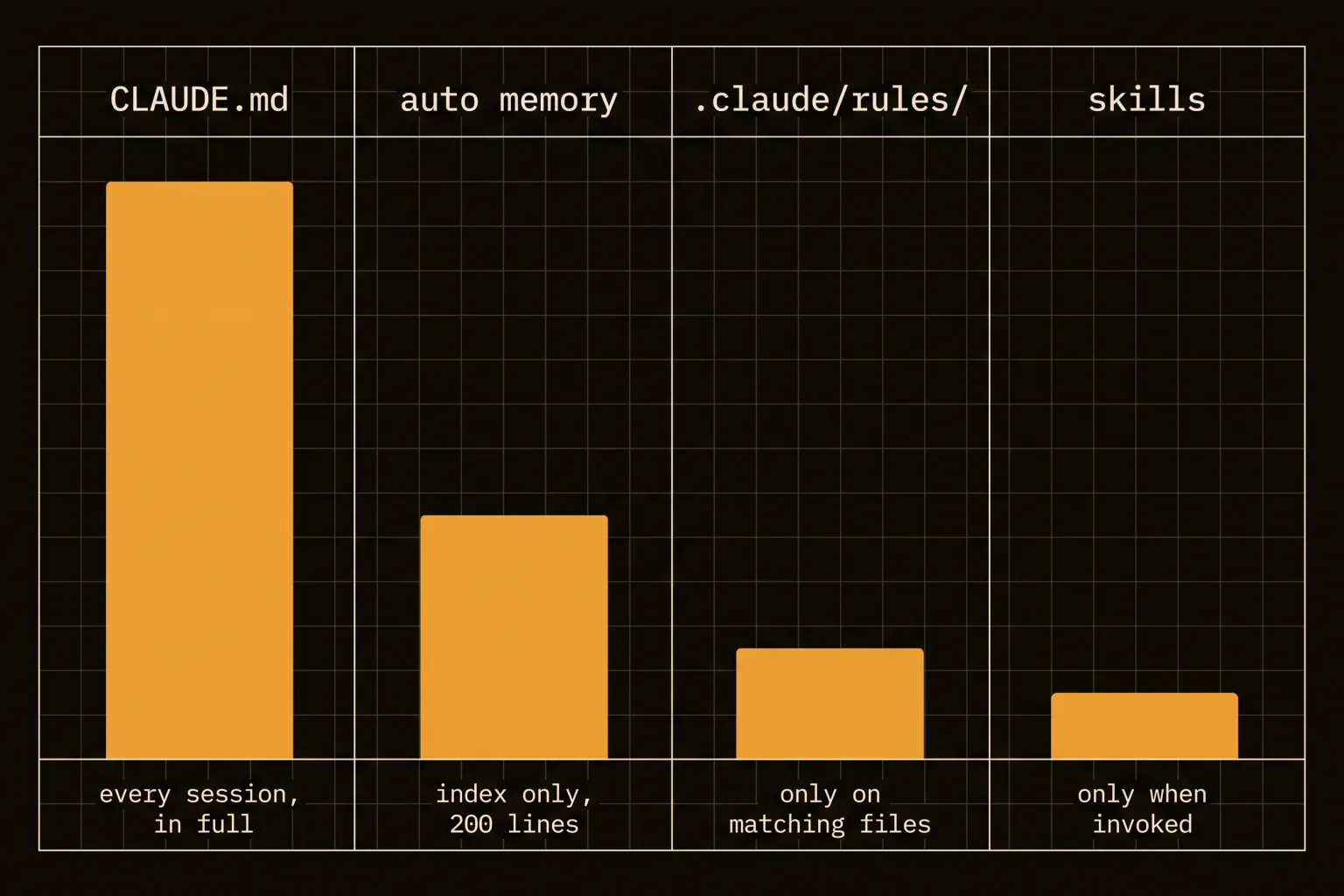
@path imports help organisation but not context. Imported files are expanded and loaded at launch alongside the file that references them, so splitting a 600-line instruction file into six imports leaves you with exactly the same Claude Code context window cost and slightly better readability. Imports nest up to four hops deep.
What actually reduces the bill is .claude/rules/ with a paths frontmatter field:
---
paths:
  - "src/api/**/*.ts"
---

- All API endpoints must validate input
- Use the standard error response format
That rule enters context only when Claude touches a matching file. Rules without a paths field load unconditionally, same as the project file, so the frontmatter is the whole point.
Two small mechanics worth knowing. Block-level HTML comments are stripped before the content is injected, so <!-- maintainer note --> costs you nothing and is a free place to explain a rule to humans. And to mention a path without importing it, wrap it in backticks — ` @README stays literal while @README` pulls the file in.
Auto memory is the other half
Claude also writes its own notes. Claude Code memory lives per repository at ~/.claude/projects/<project>/memory/, with a MEMORY.md index and topic files beside it. All worktrees of the same repo share one directory, and it is machine-local rather than synced.
Only the first 200 lines or 25KB of MEMORY.md, whichever comes first, load at session start. Topic files load on demand when Claude decides it needs them. Anything past that threshold in the index is silently dropped on the next load, which is why the index is supposed to stay one line per entry with detail pushed into topic files.
| Project file | Auto memory | |
|---|---|---|
| Written by | You | Claude |
| Contains | Rules and conventions | Learnings it discovered |
| Loaded | Every session, in full | Index only, 200 lines / 25KB |
| Good for | Standards, layout, "always do X" | Build commands, debugging insights |
Run /memory to browse and edit both, and turn auto memory off per project with autoMemoryEnabled: false or globally with CLAUDE_CODE_DISABLE_AUTO_MEMORY=1. It is plain markdown; read it occasionally, because a wrong memory persists just as well as a right one.
That last point deserves emphasis, since it is the failure mode nobody plans for. Auto memory records what was true when it was written. A note saying a flag exists, or that a service runs on port 40922, stays confidently in context long after the flag was renamed. Newer versions stamp a modified timestamp into any memory file that has frontmatter, which helps you judge staleness, but nothing automatically retires a fact that stopped being true. Treat the memory folder like any other cache: occasionally invalidate it by hand.
Subagents are worth a note too. The main conversation's memory is not loaded into a subagent, so a subagent starts without the accumulated context you might assume it has. That is usually what you want for a clean bounded task, and occasionally the reason a delegated job behaves as though it has never seen the repo.
Neither one is enforcement
This is the part that changes how you should write these files. Instruction-file content is delivered as a user message after the system prompt. Claude reads it and tries to follow it. There is no compliance guarantee, especially for vague or conflicting instructions.
So if something genuinely must happen — formatting after every edit, a lint run before every commit — it does not belong in an instruction file at all. It belongs in a hook, which the harness executes regardless of what Claude decides. Writing "always run the linter before committing" in an instructions file and treating that as enforcement is the single most common mistake here.
One useful behaviour: the project-root file survives /compact, because Claude re-reads it from disk and re-injects it. Nested subdirectory files are not re-injected and reload only when Claude next reads a file there. If an instruction seems to evaporate after compaction, it was either conversation-only or lives in a nested file that has not reloaded.
Write down what the code cannot say
Here is the test that has held up for us, and /doctor's trim check independently agrees with it: it cuts content Claude can derive from the codebase — directory layouts, dependency lists, architecture overviews — and keeps pitfalls, rationale, and conventions that differ from tool defaults.
Which means the rule is: an instruction file records what is non-obvious and expensive to rediscover, never what the code already states. Bad entries look like "the frontend is in web/" — Claude can see that. Good entries look like "run scripts/build.sh, not bare swift build, or keychain grants will not persist", because nothing in the tree says so and finding out costs an hour.
Our own root file is mostly warnings of that shape, plus one per-folder file for the subsystem whose rules genuinely differ. The habit that keeps it honest: if a line has never prevented a mistake, delete it. An instruction file is a bug tracker for repeated misunderstandings, and like any tracker it is only useful if closed items get removed.
Start by running /init for a baseline, then /context to confirm it loaded, then delete half of what /init wrote — the half it could have inferred by reading your code. If a procedure turns out to be multi-step rather than a fact, it wanted to be a skill instead.