Claude Code Skills: What They Are and When to Write One
Anand B · 2026-07-27
A skill is a folder with one Markdown file in it: .claude/skills/release-desktop/SKILL.md, holding the steps you would otherwise re-type every time you cut a release. Claude Code reads the frontmatter of every skill when a session starts, but not the body. The body loads only when the task in front of it matches what the skill says it is for.
That last detail is the entire design, and it is why Claude Code skills are worth understanding before you write one. A skill is not documentation that sits there hoping to be read. It is a playbook with a trigger attached, and the trigger is a single sentence you write yourself.
What a skill actually is
Three files control agent behaviour, and they are constantly confused for each other. A skill is an on-demand playbook. A hook is a rule the harness enforces whether the model cooperates or not. An MCP server is a connection to a tool that lives outside your repo.
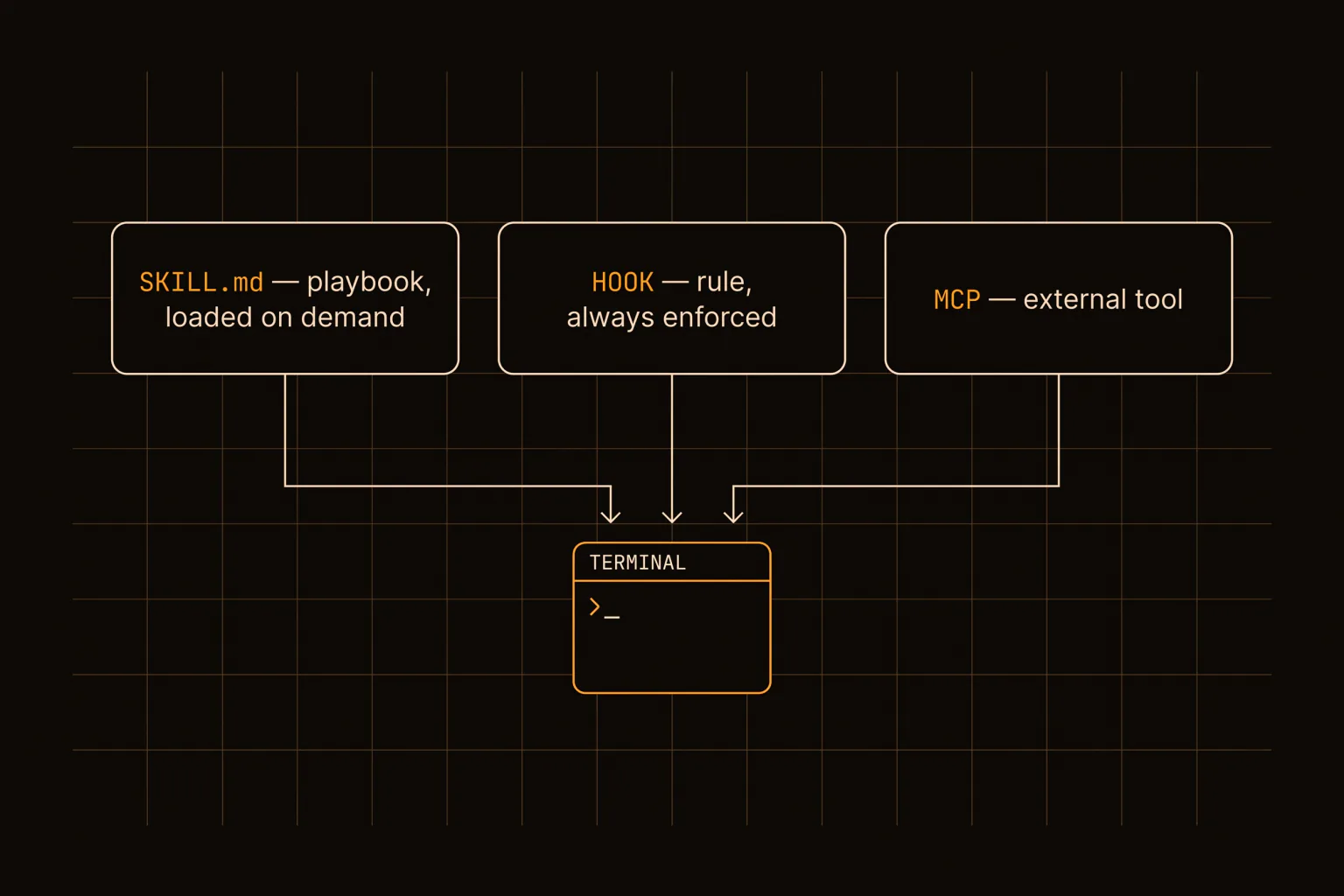
The distinction matters because they fail differently. A vague skill never fires. A badly scoped hook fires constantly. A broken MCP server takes tools away.
| Surface | Loaded | Enforced by | Good for |
|---|---|---|---|
SKILL.md | On demand, when the description matches | The model choosing to use it | Multi-step procedures you repeat |
| Hook | Every matching event | The harness, in settings.json | Rules that must never be skipped |
| MCP server | At session start | The server process | Reaching systems outside the repo |
CLAUDE.md | Every session, always | Nothing, it is context | Short facts about your project |
The last row is the one people skip, and it is the most common mistake in the list. A one-line fact belongs in CLAUDE.md. A twelve-step procedure belongs in a skill. Writing a 400-line skill for something that was really one sentence of context means paying to load 400 lines every time the trigger half-matches.
Claude Code hooks are the surface most often reached for by mistake, so it is worth being concrete about the difference. A hook is a shell command wired to an event in settings.json, and the events are things like a tool being about to run, a tool having just run, or a session stopping. The harness runs it. That is the whole point: a hook fires on a PreToolUse event whether or not the model considers it relevant, which makes it right for "never commit to main" and wrong for "here is how we cut a release". If your rule has an exception you would want the model to reason about, you want a skill. If it has no exceptions, you want a hook.
The frontmatter description is doing all the work
Every SKILL.md opens with YAML frontmatter carrying a name and a description. The name is an identifier. The description is a trigger, and it is the only part of your skill that is always in context.
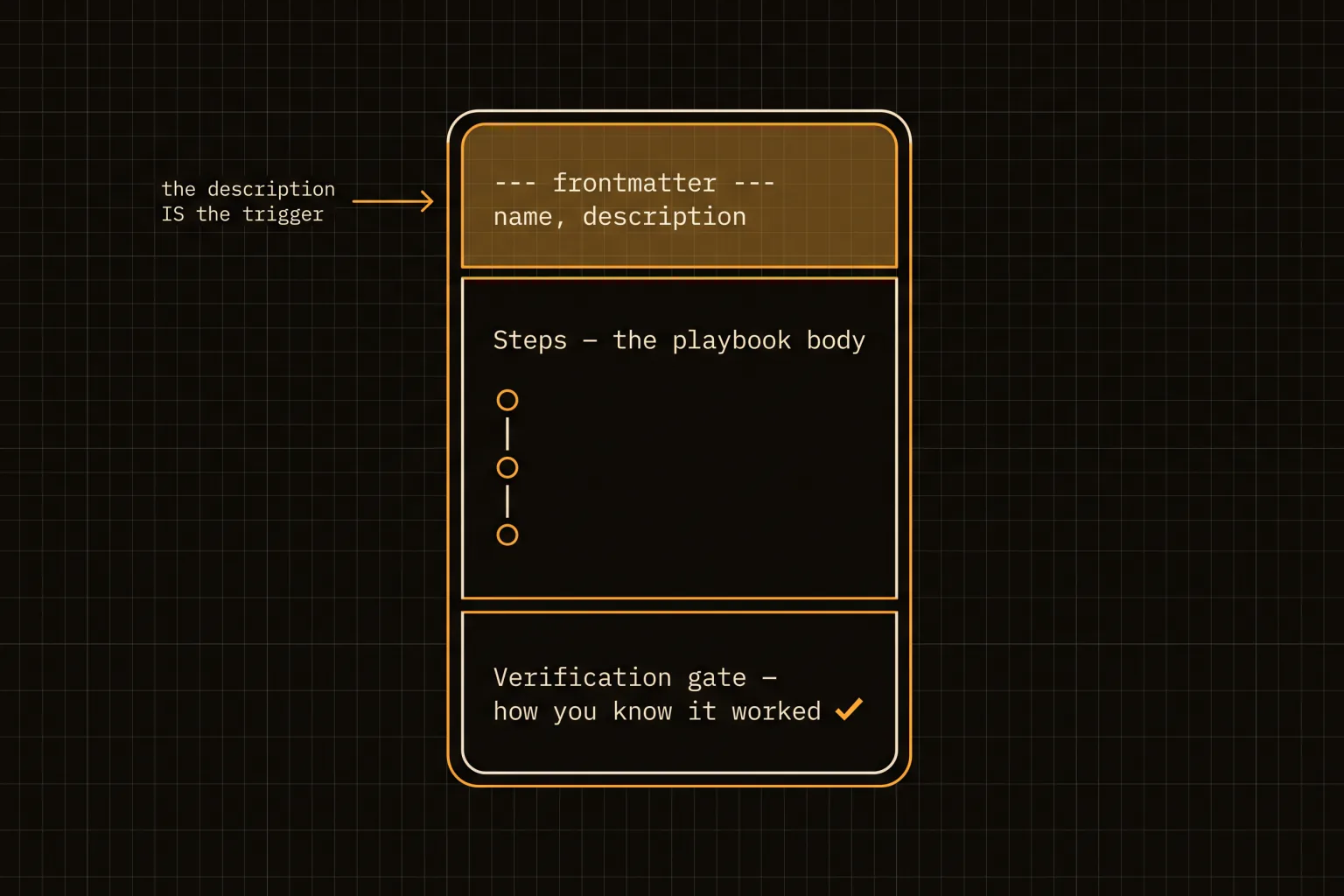
Write the description as a list of situations, not a summary of contents. This fails:
---
name: deploy
description: Deployment documentation for this project.
---
This works:
---
name: deploy
description: >
  Deploy the web app to the production droplet. Use when shipping to prod,
  promoting a build, rolling back a bad deploy, or debugging a failed
  GitHub Actions deploy. Triggers: deploy, ship it, push to prod, rollback.
---
The second one gets invoked because it names the words you will actually type. The first one describes a category and sits unused for months. When a skill you wrote never seems to fire, the description is almost always the reason, not the body.
There is a budget argument underneath this too. Descriptions are always loaded, bodies are not, so 40 skills cost you 40 sentences of permanent context and nothing more until one of them is needed. That asymmetry is what makes a large library affordable, and it inverts the usual instinct: keep the description tight because it is always there, and let the body be as long as the procedure genuinely needs.
Skills are also invocable by name as slash commands. Claude Code slash commands and skills share the same registry, so /deploy runs the skill called deploy. That gives you two entry points from one file: the model reaches for it when the situation matches, and you reach for it directly when you already know what you want.
When to write one
The rule we settled on: a skill earns its existence the second time you explain the same thing.
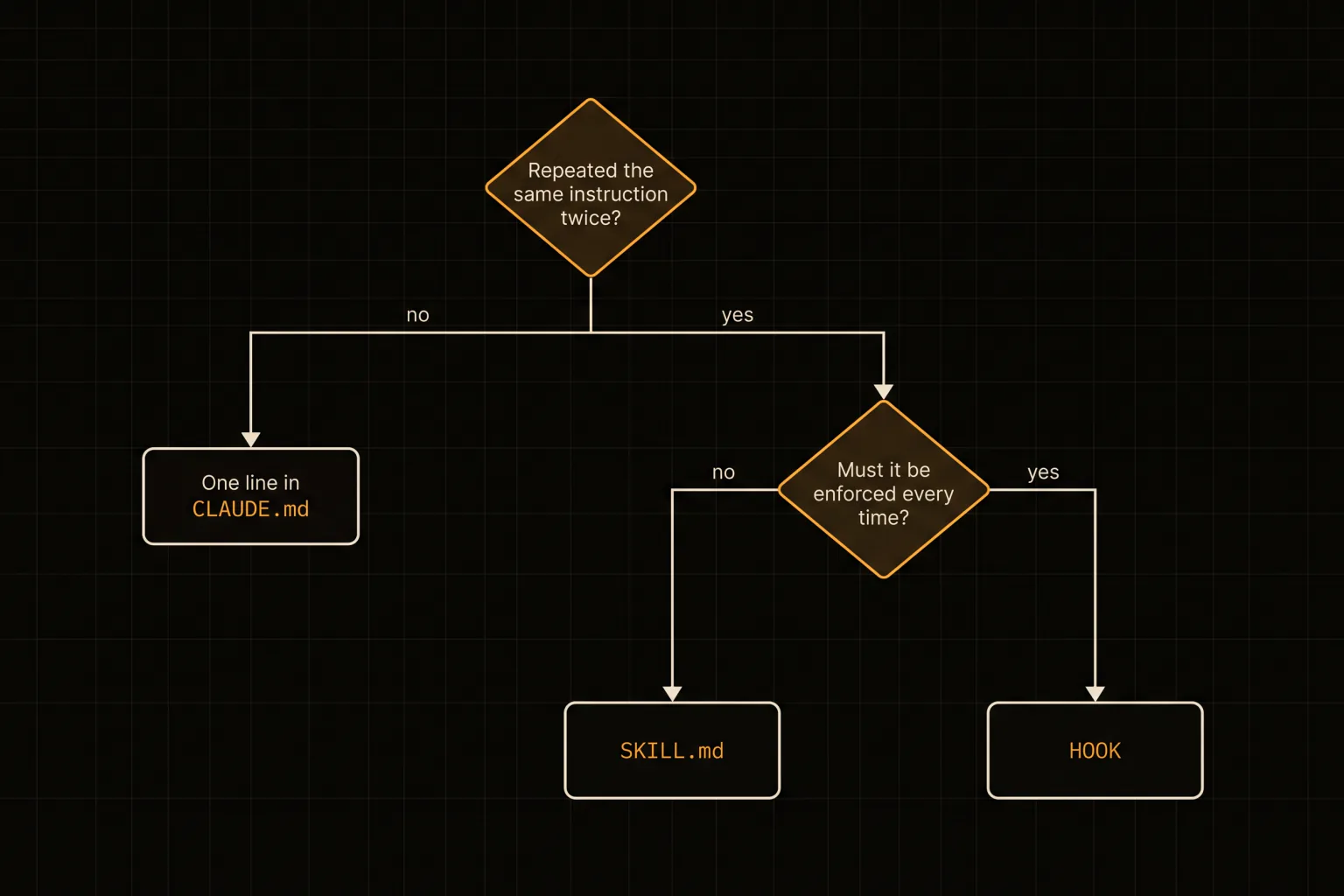
Once is a conversation. Twice is a pattern, and the third time is going to happen whether you prepare for it or not. That test is deliberately low, because the cost of a skill that goes unused is small (a few lines of frontmatter in context) while the cost of re-deriving a deploy procedure at 2am is not.
Two questions settle almost every case:
- Have I explained this more than once? If no, put a line in
CLAUDE.mdand move on. - Does it need to happen every single time, even if the model decides otherwise? If yes, that is a hook, not a skill.
What does not justify a skill: a procedure you have run exactly once, anything that changes every time you do it, and anything short enough to type faster than you can look it up.
What running 42 of them taught us
The maintenance system in our monorepo is 42 loops, and every one of them is a skill. A machine-readable index at loops.md holds the schedule, each loop's playbook lives at .claude/skills/loops/<section>/<name>/SKILL.md, and a runner script arms them. One of those loops generates a blog post from a keyword backlog every few days.
Three things held up at that scale, and they are all cheap to copy.
Every skill ends with a verification gate. Not "check that it worked" but the exact command and the exact expected output: lint exits 0, npm run typecheck is clean, the built file exists and contains the new slug. A skill without a gate produces work nobody can trust, which means somebody re-checks it by hand, which means the skill saved nothing.
Section paths use hyphens and never spaces or ampersands, because a path with a space in it breaks the moment a shell command touches it. That sounds trivial. It cost an afternoon.
The third one is the one worth stealing. Skills that produce content never merge their own work. Our content loop opens a pull request and stops, because a factually wrong post passes every linter we own. Linters catch shape, not truth. Any skill whose output could be confidently wrong needs a human at the end of it, and the skill itself should say so.
The four ways they break
A skill that never fires. The description described a category instead of naming situations. Rewrite it with the words you actually type.
A skill that fires constantly. The description is too broad, usually because it claims a common word. Narrow it, and add an explicit skip condition if the overlap is genuine.
A skill that should have been a hook. If you find yourself writing "always" or "never" in the body, the harness should be enforcing it in settings.json instead. The model can decline to read a skill; it cannot decline a hook.
A skill that drifted. The procedure changed, the file did not, and now it confidently instructs the wrong thing. This is the expensive one, because a stale skill is worse than no skill: it launders a wrong answer through something that looks authoritative. Skills that describe fast-moving surfaces need a review date or a verification step that fails loudly when reality moves. The cheapest version of this is to have the skill assert something about the repo it can check in one command, so drift shows up as a failed gate instead of a confident wrong answer three months later.
Start with the thing you just re-explained
Do not sit down to write a skill library. Wait until you catch yourself typing the same explanation a second time, then write that one, with a description naming the phrases you just used and a gate proving it worked. Ours grew to roughly 40 files that way, one annoyance at a time, and the ones we designed up front are the ones nobody uses.
If you are still setting up your environment, our Claude Code tutorial covers the parts that come before this, and the workflow piece covers what to do once several of these are running at once.